How to Set Up Your Digital Oscilloscope: A Step-by-Step Guide for Effective Testing in 2026
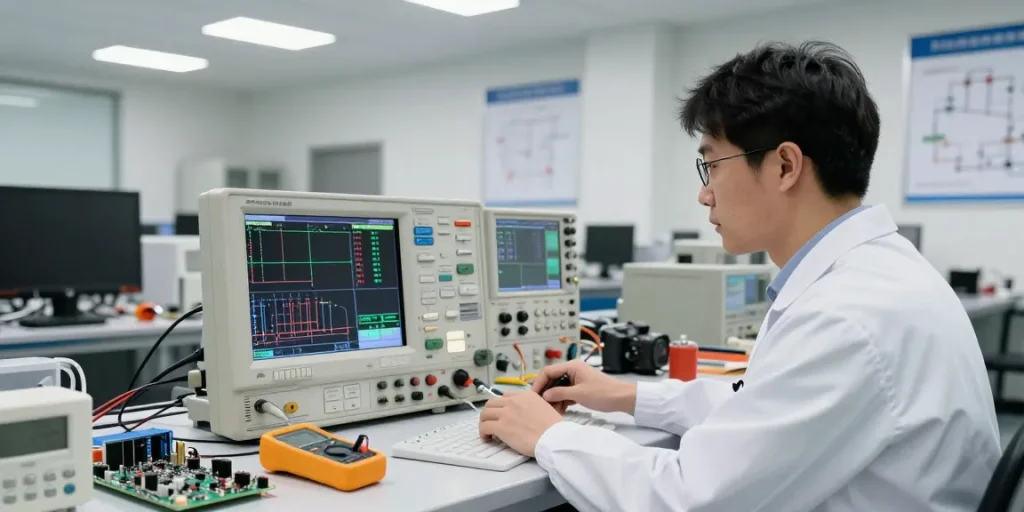
Understanding the Basics of Digital Oscilloscopes
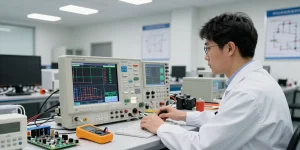
Oscilloscopes are indispensable tools in electronics testing and development. A digital oscilloscope, 4 channel oscilloscope provides the capability to visualize electrical signals, allowing engineers and hobbyists to diagnose, test, and troubleshoot a range of circuit designs. With advancements in technology, modern oscilloscopes have become more powerful and user-friendly, making them accessible for both professional and educational environments.
What is a 4 Channel Oscilloscope?
A 4 channel oscilloscope allows for simultaneous monitoring of up to four different signals. This feature is particularly beneficial for engineers who need to compare and analyse multiple waveforms at once. In the context of complex systems, where timing and signal integrity are crucial, having multiple channels enables detailed insights into how various components interact with each other. For instance, an engineer might simultaneously observe the input, output, feedback, and gate drive signals within a power converter circuit, helping to pinpoint timing issues and potential failed components.
Key Components and Features Explained
The main components of a 4 channel oscilloscope include:
- Input Channels: Each channel has its own input for connecting probes to electrical points in a circuit.
- Display Screen: A digital screen showcases the waveform, allowing real-time analysis.
- Controls and Interface: User-friendly controls enable the adjustment of settings like voltage scale and time base.
- Triggering Mechanism: This helps stabilize repetitive signals, ensuring a clear waveform display.
When choosing an oscilloscope, it’s essential to consider the bandwidth (the range of frequencies it can accurately measure), sampling rate, and memory depth, as these factors significantly impact measurement accuracy and performance.
How Digital Oscilloscopes Work
Digital oscilloscopes capture voltage signals over time and convert them into a digital format for display. The process begins with the probe sampling the voltage at the input channel. This information is then digitised via an analogue-to-digital converter (ADC), which transforms the continuous signal into a series of discrete points that the digital display can render as a waveform. Advanced features allow for various analyses, such as performing mathematical operations on captured signals, further enhancing their utility in testing environments.
Setting Up Your Digital Oscilloscope
Unboxing and Initial Setup Steps
When you unbox your oscilloscope, ensure you have all included components: the main unit, power adapter, probes, and user manual. Place the oscilloscope on a stable work surface, away from any electromagnetic interference sources. Connect the power adapter, and switch on the device, allowing it to boot up before proceeding.
Connecting Probes and Adjusting Settings
To connect probes, attach them to the respective input channels, ensuring a secure fit. It’s crucial to confirm that the probes are set to the correct attenuation ratio, which should match the oscilloscope’s settings to ensure accurate readings. After connecting the probes, adjust the voltage scale and time base settings according to the signals being tested, which can often be done through the oscilloscope’s interface.
Calibration for Accurate Measurements
Calibration is vital to ensure accurate measurements. It typically involves verifying and adjusting the oscilloscope’s settings against a known standard. Most modern oscilloscopes have self-calibration features, which guide users through the calibration process. Regular calibration can greatly enhance the reliability of your measurements.
Utilising the Functions of a 4 Channel Oscilloscope
Multi-Channel Signal Analysis
Utilising a 4 channel oscilloscope allows for in-depth analysis of signal interactions. By observing multiple channels simultaneously, users can identify phase differences, timing relationships, and anomalies that may indicate issues within a circuit. For instance, an engineer can check how a signal’s timing from a governor affects various outputs, thereby ensuring optimal performance.
Advanced Features: Triggering and Maths Functions
Modern oscilloscopes come equipped with advanced triggering capabilities, which stabilise complex signals. These triggers activate the display at specific points, making it easier to study repetitive signals. Moreover, many models offer mathematical functions, allowing users to add, subtract, or even multiply signals in real-time. This capability is particularly useful in troubleshooting cases where composite signals need to be analysed in detail.
Interpreting Waveforms: A Practical Approach
Interpreting waveforms correctly is crucial for effective testing. A few essential tips include:
- Understand the Waveform Types: Each waveform conveys different signal behaviours—sine waves, square waves, and triangular waves, each indicating unique characteristics of the signal.
- Focus on Key Parameters: Pay attention to parameters like amplitude, frequency, and phase shift, which can inform you about circuit performance and issues.
- Use Zoom and Measurements: Many oscilloscopes have zoom features and measurement capabilities that can help analyse specific sections of waveforms in detail.
Troubleshooting Common Issues
Identifying Signal Distortions
Signal distortions can be caused by a range of factors, including poor connections, noise interference, and incorrect probing. To troubleshoot, ensure that all connections are secure and that the environment is free from electromagnetic interference. Using the oscilloscope’s built-in filtering options may also help resolve issues.
Common Setup Mistakes and How to Avoid Them
Common pitfalls include incorrect probe settings and improper grounding. Always ensure probes are set correctly for attenuation and that grounding is established to avoid noise. Familiarising yourself with the oscilloscope’s interface before critical testing sessions can prevent these typical mistakes.
Technical Support and Resources Available
Manufacturers often provide extensive resources, including user manuals, FAQs, and customer support teams. Online forums and communities can also be valuable for troubleshooting specific issues or learning advanced techniques.
Future Trends in Oscilloscope Technology
Innovative Features to Expect in 2026
As technology progresses, oscilloscopes are expected to incorporate features such as enhanced user interfaces, improved signal analysis algorithms, and increased connectivity options, such as cloud storage for data. Innovations like artificial intelligence may also play a role in automating complex troubleshooting processes.
The Role of AI in Oscilloscope Functionality
Artificial Intelligence is set to revolutionise how oscilloscopes function. With AI algorithms, oscilloscopes can learn from past measurements, offer automated diagnostics, and alert users when specific conditions arise. This can significantly reduce troubleshooting time and improve efficiency in testing procedures.
Impact of Emerging Technology on Electronics Testing
With advancements in technology, the landscape of electronic testing is continuously evolving. New materials and designs can necessitate more sophisticated testing measures, making advanced oscilloscopes invaluable for ensuring performance and reliability.
Frequently Asked Questions
What are the advantages of using a 4 Channel Oscilloscope?
A 4 channel oscilloscope enables the user to monitor multiple signals simultaneously, providing comprehensive analysis capabilities that are particularly useful in complex electronic systems. This feature simplifies comparisons and helps identify interactions and timing issues.
How do I export data from my digital oscilloscope?
Most digital oscilloscopes offer data export options, typically via USB ports or built-in networking features. Users can save their waveforms or measurement data for analysis in software applications.
What common mistakes should I avoid when using an oscilloscope?
Common mistakes include neglecting calibration, failing to secure connections properly, and not considering external interference. Familiarising yourself with best practices during setup and operation can mitigate these issues.